
The system we built to run a design-build company.
Pangea OS is the software we run Pangea Biotecture on every day: leads, clients, projects, crews, field reports, meetings and the paperwork in between, in one place. We are now opening it to a small number of construction companies.
One place for the whole job.
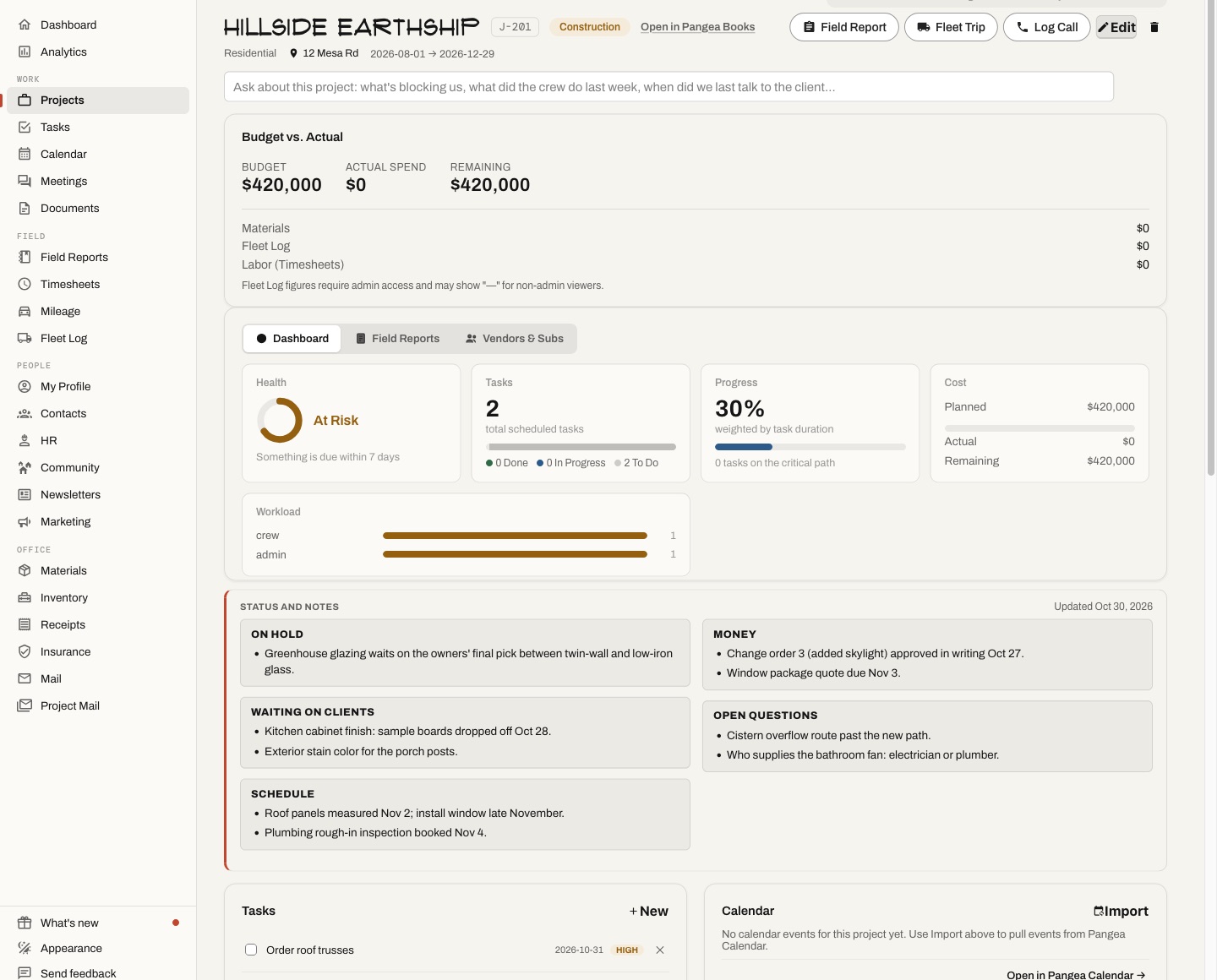
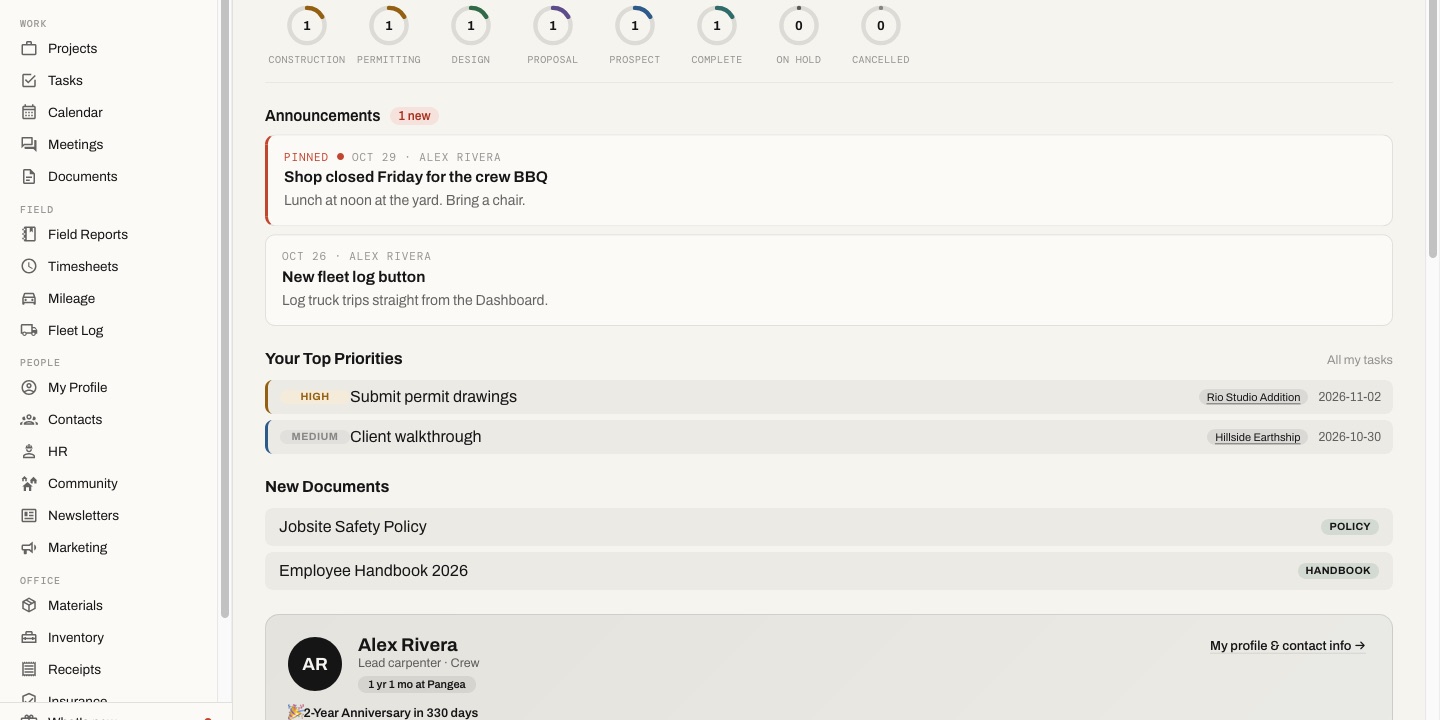
A design-build company runs on a lot of moving parts: an inquiry becomes a client, a client becomes a project, and the project runs on calls, meetings, crews, trucks and receipts. We wanted all of it connected, so nothing falls between apps.
| Clients | Every call, text, email and meeting with a client lands on their card, so anyone on the team can pick up where the last person left off. |
|---|---|
| Projects | Each project page shows its health, tasks, schedule, meetings, field reports and files at a glance. |
| Field | Crews file daily reports, hours and mileage from their phones, and the office sees them right away. |
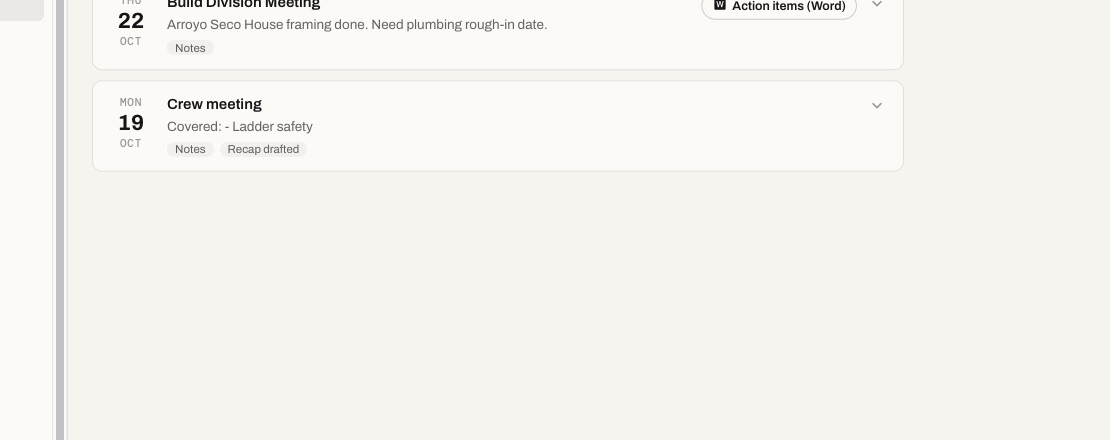
| Meetings | Agendas before, notes and transcripts during, a summary and action items after, sent to each project they cover. |
Built around how builders work.
- OS-100
Leads + clients
An inquiry board, contact cards with full history, a briefing before every call, and reply drafts you check before sending.
- OS-200
Projects + tasks
Project dashboards, assigned tasks with due dates, workload by person, and a calendar shared by the team.
- OS-300
Meetings
Agendas the team can see, notes, Zoom transcripts brought in on their own, written summaries, and action items as a printable list.
- OS-400
Field
Daily field reports with photos, timesheets, mileage and a fleet log, built for a phone on a job site.
- OS-500
Office
Receipts, documents, staff records and reports in the same system as the projects they belong to.
- OS-600
Assistant
A built-in assistant that reads the record for you: what a client asked for, what was promised, what is overdue. You stay in charge of what gets sent.
For other builders.
We are turning Pangea OS into its own product, so other construction companies can use it the way we do. Each company gets its own private workspace: your clients, projects and records stay yours and are never shared with anyone else.
We are starting with a few early partners. Early partners get hands-on setup, a direct line to the people who built it, and a say in what comes next.
It suits design-build firms, general contractors and trade contractors (plumbing, electrical, HVAC and more) who run their own crews and want the office and the field on the same page.
Pangea OS, answered.
Is this the software Pangea really uses?
Yes. We run our own company on it every day, from the first inquiry to the last field report on a job.
Will our data be kept separate?
Yes. Each company has its own private workspace, and its records are never shared with other companies.
Do we need to install anything?
No. It runs in a web browser on a computer, tablet or phone.
Does it work with the tools we already use?
It connects to email, calendars and Zoom, and can bring in your existing contacts. If you schedule in Google Calendar today, it shows up in Pangea OS next to your jobs from day one. Tell us what you use today and we will tell you how it fits.
How much does it cost?
Pricing depends on the size of your company and what you need. Get in touch and we will walk you through it.
Where Pangea OS is different.
Procore, Buildertrend, JobTread and Houzz Pro are solid tools, and they all cover the basics. The difference is who built Pangea OS, where your data lives, and how much of the day lands in one place without anyone typing it in.
| Pangea OS | Procore | Buildertrend | JobTread | Houzz Pro | |
|---|---|---|---|---|---|
| Built by | A working design-build firm, on its own jobs every day | A software company | A software company | A software company | A software company |
| Where your data lives | Your own private workspace, or your own server | Their cloud | Their cloud | Their cloud | Their cloud |
| Your records | Built on open standards: files, calendars and contacts you can take with you | Closed platform | Closed platform | Closed platform | Closed platform |
| Zoom meetings | Transcripts come in on their own and land on the right project, with a summary and action items | Zoom scheduling; AI minutes from a recording or transcript | Not built in | Not built in | Records meetings in its own app |
| Client calls and texts | Calls and texts from the office Macs land on the client’s card automatically, next to email and meetings | Not built in | Logged by hand | Through add-ons | Calls recorded in its own app |
| Company email | The company mailbox stays in sync; every email lands on the right client and project on its own | Forward or copy to a project address | Forward to a project address | Replies to its own notices | Gmail add-on |
| Your own staff | Staff files, onboarding checklists, certifications and time off | Certifications and time off (separate product) | Through a payroll add-on | Not built in | Not built in |
| Trucks and mileage | Fleet log with trips and maintenance, plus monthly mileage reports for payroll | Equipment tracking (separate product) | Not built in | Not built in | Not built in |
| Your insurance program | Your own policies, limits, deadlines and open items in one place | Not built in | Not built in | Not built in | Not built in |
| AI | Built-in assistant that reads the whole record and works with your own AI tools | Built-in assistant | Some AI features | Connector for outside AI tools | Built-in assistant |
| Schedules, daily logs, time tracking | Yes | Yes | Yes | Yes | Yes |
| Office in the same system | Receipts, documents, staff records, fleet log, mileage, insurance and newsletters | Varies by product and plan | |||
Based on each company’s public information, October 2026. Features change often; check with each company. Procore, Buildertrend, JobTread and Houzz Pro are trademarks of their owners.
See it in action.
Tell us about your company and we will set up a walkthrough.